Free Express Shipping Australia-Wide | Save 10% Storewide* Use code: 10OFF
sales@mytpms.com.au
Select your vehicle to find compatible tyre pressure sensors
TPMS Programming Guide

TPMS Relearn Procedure

Follow the correct TPMS relearn steps to help your vehicle recognise new tyre pressure sensors. This guide covers both Auto Relearn and OBD Relearn procedures in a clean, easy-to-follow layout.

Before You Start

Make sure the correct TPMS sensors are installed, all tyre pressures are set to the placard value, and your programming tool is ready before starting the relearn process.

Why Relearn Matters

A relearn procedure helps the vehicle recognise the new tyre pressure sensors correctly. If this step is missed, the TPMS warning light may stay on or the new sensors may not register properly.

Need Help?

If you are unsure which procedure your vehicle requires, contact MyTPMS for help with compatibility, sensor programming, and TPMS tool advice.

Procedure 01

Auto Relearn Procedure

Some vehicles can automatically recognise new TPMS sensors after activation and driving.

  1. Confirm TPMS sensors are properly installed.
  2. Adjust tyre pressure to the vehicle placard value.
  3. Hold the TPMS tester on the left front tyre sidewall next to the valve stem.
  4. Use the TPMS tool to activate the sensor.
  5. Repeat the process for the right front, right rear, and left rear sensors.
  6. Drive the vehicle for up to 20 minutes above 15 mph, or until the TPMS light turns off.
Tip: Always activate the sensors in the correct order to avoid registration issues.
Procedure 02

OBD Relearn Procedure (2009–2017)

Some vehicles require an OBD transfer to write the new sensor IDs directly into the ECU.

  1. Attach the OBDII module to the TPMS tool.
  2. Confirm TPMS sensors are properly installed.
  3. Adjust tyre pressure to the vehicle placard value.
  4. Hold the TPMS tester on the left front tyre sidewall next to the valve stem.
  5. Use the TPMS tool to activate the sensor.
  6. Repeat for the right front, right rear, and left rear sensors.
  7. Connect the OBD module to the vehicle DLC.
  8. Turn the ignition to ON.
  9. Press OK on the TPMS tool to transfer data to the ECU.
  10. Disconnect the OBD module from the DLC.
  11. Turn the ignition OFF, then start the engine.
  12. Drive the vehicle for at least 5 minutes at 28 mph.
Important: The OBDII module is required for this procedure.
Still Need Help?

Get Expert TPMS Support

Need help choosing the right sensors or programming tool? Our team can help with vehicle compatibility, relearn methods, and setup guidance.

Our Product Range

Looking for TPMS sensors or diagnostic tools?

OE-quality TPMS sensors and advanced programming solutions — precision-engineered for broad vehicle compatibility. Review specifications prior to selection to ensure correct fitment.

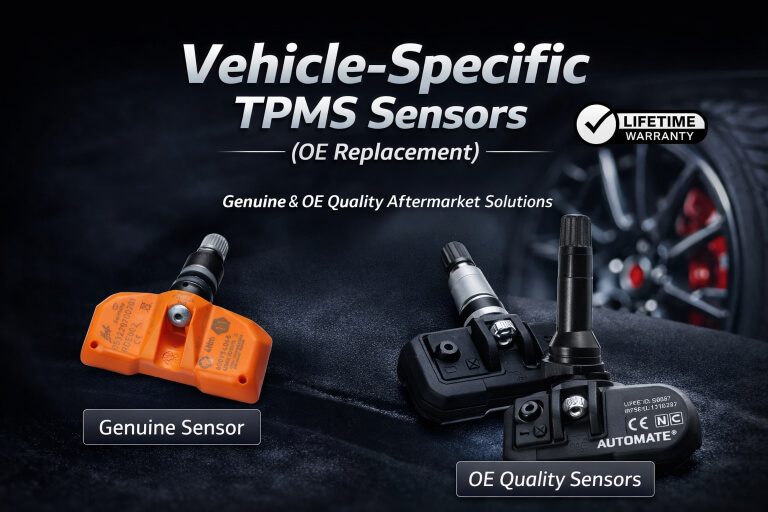
Vehicle-specific OE replacement TPMS sensors

Vehicle-Specific TPMS Sensors

Direct-fit sensors designed to match original equipment specifications for specific vehicles and model years. Ideal for replacing failed sensors or fitting new wheels while maintaining factory look and function.

OE Replacement
Programmable universal TPMS sensors — NFC or tool programming

Programmable / Universal TPMS Sensors

Multi-vehicle programmable sensors configured to suit a wide range of vehicles using a compatible TPMS tool or your phone's NFC wireless technology. A flexible solution that reduces stock requirements and supports multiple makes and models.

NFC or Tool Programming
Professional TPMS programming and diagnostic tools

TPMS Programming & Diagnostic Tools

Professional TPMS tools used to program, relearn, activate, or diagnose tyre pressure sensors after installation. Required for vehicles that do not support automatic relearn procedures.

Workshops & Tyre Shops
TPMS master kits and DIY bundles including sensors, tools and interfaces

TPMS Master Kits & DIY Bundles

Complete TPMS kits including sensors, programming tools, and required interfaces. Designed for cost-effective DIY installation with guided support and long-term value.

Home Users & Enthusiasts
TPMS cloning solutions for second wheel sets and seasonal tyre changes

TPMS Cloning & Second Wheel Set Solutions

TPMS solutions that allow existing sensor IDs to be cloned, enabling seamless use across multiple wheel sets without repeated relearning. Ideal for seasonal wheel changes, track wheels, and spare wheel sets.
Seasonal & Track Wheels
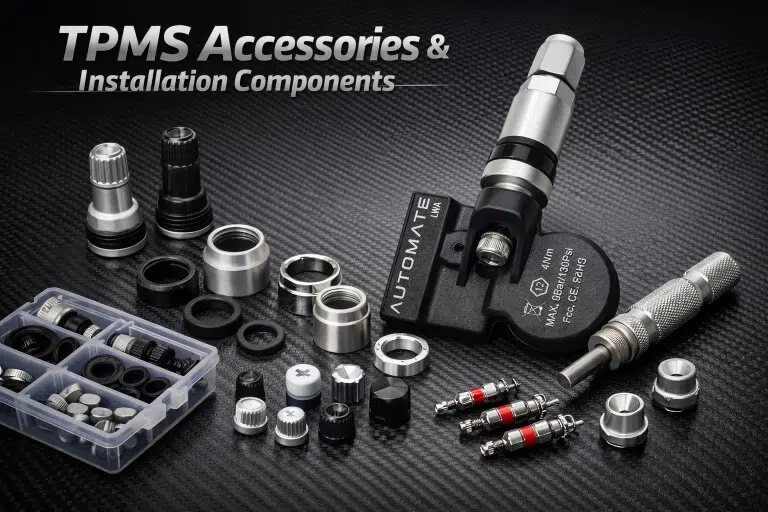
TPMS accessories and installation components including valve stems and seal kits Coming Soon

TPMS Accessories & Installation Components

Essential hardware and service items to support TPMS installation and maintenance — including valve stems, seal kits, mounting hardware, replacement caps and nuts.

Professional Installations
0