Free Express Shipping Australia-Wide | International Shipping Available

If you have replaced a wheel, tyre, or TPMS sensor and the tyre pressure warning light stays on, the system may need to be reset or relearned. This improved version keeps the current Holden guide layout, but adds clearer product links for Holden models, a direct Bluetooth programmer purchase link, stronger internal links, and practical external references.
Use the selector below to guide customers toward the correct Holden model family before they choose a TPMS sensor. For exact fitment, match the vehicle year, OE number, sensor frequency and wheel setup before purchase.
This guide keeps the existing Holden Caprice WM reset method and makes the steps easier to follow.
For sensor replacement and cloning work, use the AUTOMATE Bluetooth Programmer to prepare compatible TPMS sensors.
Holden sensors must match model, year, OE number and frequency. Guessing here causes repeat warning lights.
This guide is especially useful for Holden Caprice WM and similar Holden/GM systems. Product links below connect customers to the physical Holden models we currently support with matching TPMS sensors.
Estimated time: approximately 7 minutes.
The AUTOMATE Bluetooth Programmer / Cloning Tool is the correct tool link for customers who need to program or clone compatible TPMS sensors before Holden fitment and relearn work.

Use this Bluetooth programmer for compatible TPMS sensor programming and cloning work before Holden installation.
Buy Bluetooth ProgrammerThese product links are added directly into the guide so customers can move from the reset instructions to the correct Holden sensor. Confirm fitment before ordering if the vehicle has imported variants, aftermarket wheels or previous sensor changes.

433MHz sensor for 2007-2012 WM Caprice, OE 25789964 / 22853740 / 13581561.
View Caprice sensor
Replacement 433MHz TPMS sensor for compatible VE applications using OE part number 13581561.
View VE sensor
Replacement 433MHz TPMS sensor for compatible VF and HSV applications using OE part number 13581561.
View VF sensor
Replacement 433MHz TPMS sensor for compatible ZB/Tourer models using OE part number 13597645.
View ZB sensor
433MHz OE replacement TPMS sensor for compatible 2013-2017 Holden Colorado models, OE 20925925.
View Colorado sensor
433MHz replacement sensor for compatible Astra J and Cascade applications. Confirm exact vehicle fitment before ordering.
View Astra/Cascade sensorSome Holden models use menu or stalk controls to enter TPMS learning mode. The reset order and horn confirmation are still important on systems that use stationary relearn.
Some models require steering wheel stalk or menu controls to start TPMS learning mode.
Use left front, right front, right rear and left rear unless the vehicle display says otherwise.
After relearn, return all tyres to the pressure shown on the tyre placard.
If the light stays on, check frequency, OE number, battery state and whether the sensor ID was learned.
Use these supporting resources for customers who need broader TPMS help after reading the Holden reset guide.
Use the embedded video below as a visual guide for the Holden TPMS reset process. Video credit: Stephen Deeth.
For compatible programmable sensors, the AUTOMATE Bluetooth Programmer can be used for programming or cloning before installation and relearn.
The common Holden/GM order is left front, right front, right rear and left rear, unless the vehicle display gives a different instruction.
The sensor may not have been relearned, may be the wrong frequency, may not match the vehicle, or may not be transmitting correctly.
If you need help choosing the correct Holden TPMS sensor or troubleshooting the relearn process, contact MyTPMS for compatibility advice before ordering.
OE-quality TPMS sensors and advanced programming solutions — precision-engineered for broad vehicle compatibility across Australia. Review specifications prior to selection to ensure correct fitment for your make and model.
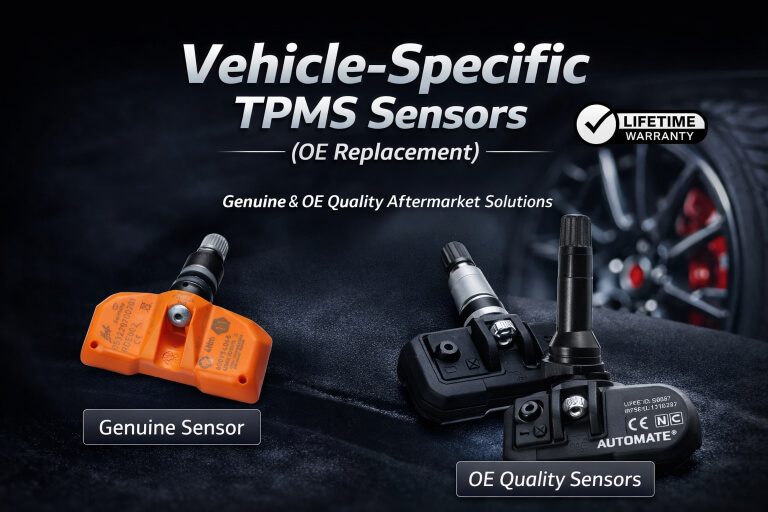
Direct-fit sensors designed to match original equipment specifications for specific vehicles and model years. Ideal for replacing failed sensors or fitting new wheels while maintaining factory look and function.

Multi-vehicle programmable sensors configured to suit a wide range of vehicles using a compatible TPMS tool or your phone's NFC wireless technology. A flexible solution that reduces stock requirements and supports multiple makes and models.

Professional TPMS tools used to program, relearn, activate, or diagnose tyre pressure sensors after installation. Required for vehicles that do not support automatic relearn procedures.

Complete TPMS kits including sensors, programming tools, and required interfaces. Designed for cost-effective DIY installation with guided support and long-term value.

TPMS solutions that allow existing sensor IDs to be cloned, enabling seamless use across multiple wheel sets without repeated relearning. Ideal for seasonal wheel changes, track wheels, and spare wheel sets.
 New
New
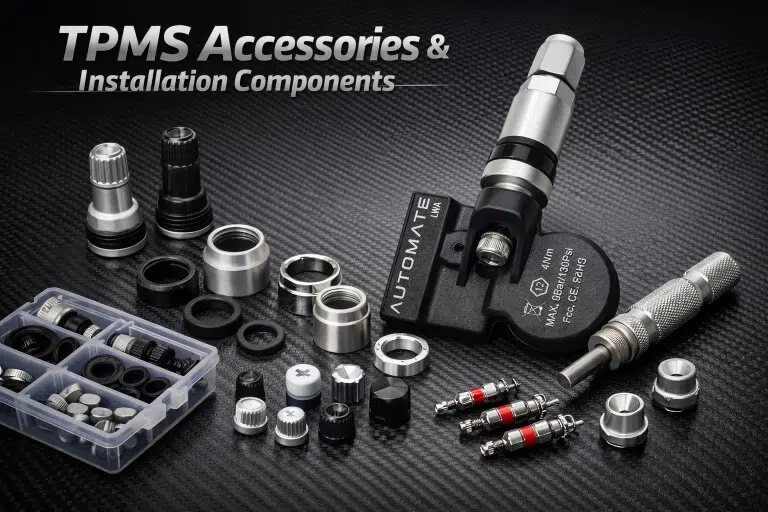
Essential hardware and service items to support TPMS installation and maintenance — including valve stems, seal kits, mounting hardware, replacement caps and nuts.
Unsure which TPMS sensor or tool you need? Talk to our specialists · Australia-wide shipping · Workshop & trade enquiries welcome
