Free Express Shipping Australia-Wide | Save 10% Storewide* Use code: 10OFF
sales@mytpms.com.au
Select your vehicle to find compatible tyre pressure sensors
Nissan TPMS Guide

NISSAN TPMS SENSORS, RELEARN & PROGRAMMING GUIDE

Replacing Nissan TPMS sensors is not always just a matter of fitting new parts and driving away. In many cases, a Nissan will relearn itself after a tyre rotation or tyre replacement under normal driving conditions, but when you are fitting brand-new sensors, the vehicle often needs the new sensor IDs programmed correctly.

That is why we strongly recommend the AUTOMATE Bluetooth Programmer to help ensure successful activation, smoother setup, and fewer failed installs.

Vehicle Finder

Select Your Vehicle to Find Compatible Tyre Pressure Sensors

Use the selector below to help customers choose the correct Nissan TPMS sensors and the right programming method.

Rotation vs New Sensor Installation

After a tyre rotation or tyre replacement, many Nissan systems will relearn under normal driving conditions. But when new TPMS sensors are installed, a properly formatted scan tool is often required to write the new sensor IDs.

Why Customers Run Into Problems

A Nissan can still show a TPMS light even after new sensors are fitted if the sensor IDs have not been registered properly, if the wrong protocol was used, or if the vehicle never completed the correct setup cycle.

Best Way to Avoid Issues

We highly recommend purchasing the AUTOMATE Bluetooth Programmer to help ensure proper activation, faster diagnosis, and a much smoother Nissan TPMS installation.

Vehicle Coverage

Applicable Nissan Models

This page includes your supplied Nissan TPMS applications plus current Nissan Australia model families. Nissan Australia’s current range includes JUKE, QASHQAI, X-TRAIL / MY26 X-TRAIL, Pathfinder, Patrol, Navara / All-New Navara, Nissan Z, and ARIYA. :contentReference[oaicite:1]{index=1}

350Z2007–2010
370Z2009–2015
Altima2007–2015
Armada SE2004–2007
Cube2009–2014
Frontier2005–2014
GT-R2009–2015
Juke2011–2015 + current AU line
Leaf2011–2015
Maxima2007–2015
Murano2007–2015
NV200 / NV1500 / NV2500 / NV35002012–2015
Pathfinder2007–2015 + current AU line
Quest2007–2015
Rogue / Rogue Select2008–2015
Sentra2007–2015
Titan2007–2015
Versa / Versa Note2007–2015
Xterra2008–2014
QASHQAICurrent AU line
X-TRAIL / MY26 X-TRAILCurrent AU line
PatrolCurrent AU line
Navara / All-New NavaraCurrent AU line
Nissan ZCurrent AU line
ARIYACurrent AU line
Why You Need Programming

New Nissan Sensors Often Need ID Registration

After a tyre rotation or tyre replacement, the system may relearn itself. But if you are replacing the sensors with brand-new TPMS units, a scan tool is often required to learn and write the new IDs.

  • New sensor IDs often need to be written to the vehicle
  • Wrong sensor protocol can stop the system from learning
  • Some warning lights stay on until a proper ID relearn is completed
  • DIY fitments fail when the sensors are installed but never programmed
  • A good tool saves repeat work and wasted labour
Important: A properly formatted scan tool is required to learn new sensor IDs when replacing sensors.
Recommended Tool

Why We Recommend the AUTOMATE Bluetooth Programmer

We highly recommend purchasing the AUTOMATE Bluetooth Programmer to help ensure a successful activation of your TPMS device(s) and reduce the chance of Nissan TPMS setup problems.

  • Helps with sensor activation and setup
  • Supports more reliable Nissan TPMS installs
  • Reduces confusion around new sensor ID registration
  • Useful for both DIY customers and workshops
  • Helps turn a frustrating install into a proper finished job

Best Result? Buy the Tool with the Sensors.

If you are buying Nissan TPMS sensors, the safest and most reliable option is to buy the programming tool at the same time so you can activate and register the system properly.

Shop Nissan TPMS Tool
TIA Troubleshooting Tips

Common Nissan TPMS Problems After Service

These are common reasons a Nissan TPMS light stays on or a scan tool fails to communicate.

Check the OBDII Fuse

If your scan tool shows a communication error while writing sensor IDs, verify that the OBDII fuse is not blown.

Sensor Sleep After Service

During some types of service, the TPMS sensors may shut off and trigger a MIL when the vehicle is started.

MIL May Turn Off While Driving

The MIL may switch off again during normal driving conditions, or an ID relearn can be performed with a properly formatted scan tool in the workshop.

GPS Screen Delay

If fitted with GPS, the tyre pressure screen may not populate until the vehicle acquires a satellite signal. The vehicle may need to be moved out of the service bay.

Need Help?

Get Help with Nissan TPMS Sensors & Programming

If you need help choosing the correct Nissan TPMS sensors or the right programming tool, contact MyTPMS for expert support and compatibility advice.

Our Product Range

Looking for TPMS sensors or diagnostic tools?

OE-quality TPMS sensors and advanced programming solutions — precision-engineered for broad vehicle compatibility. Review specifications prior to selection to ensure correct fitment.

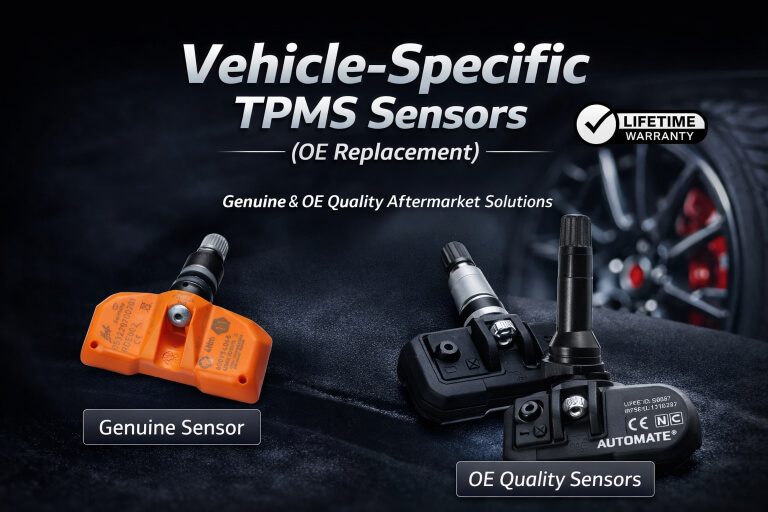
Vehicle-specific OE replacement TPMS sensors

Vehicle-Specific TPMS Sensors

Direct-fit sensors designed to match original equipment specifications for specific vehicles and model years. Ideal for replacing failed sensors or fitting new wheels while maintaining factory look and function.

OE Replacement
Programmable universal TPMS sensors — NFC or tool programming

Programmable / Universal TPMS Sensors

Multi-vehicle programmable sensors configured to suit a wide range of vehicles using a compatible TPMS tool or your phone's NFC wireless technology. A flexible solution that reduces stock requirements and supports multiple makes and models.

NFC or Tool Programming
Professional TPMS programming and diagnostic tools

TPMS Programming & Diagnostic Tools

Professional TPMS tools used to program, relearn, activate, or diagnose tyre pressure sensors after installation. Required for vehicles that do not support automatic relearn procedures.

Workshops & Tyre Shops
TPMS master kits and DIY bundles including sensors, tools and interfaces

TPMS Master Kits & DIY Bundles

Complete TPMS kits including sensors, programming tools, and required interfaces. Designed for cost-effective DIY installation with guided support and long-term value.

Home Users & Enthusiasts
TPMS cloning solutions for second wheel sets and seasonal tyre changes

TPMS Cloning & Second Wheel Set Solutions

TPMS solutions that allow existing sensor IDs to be cloned, enabling seamless use across multiple wheel sets without repeated relearning. Ideal for seasonal wheel changes, track wheels, and spare wheel sets.
Seasonal & Track Wheels
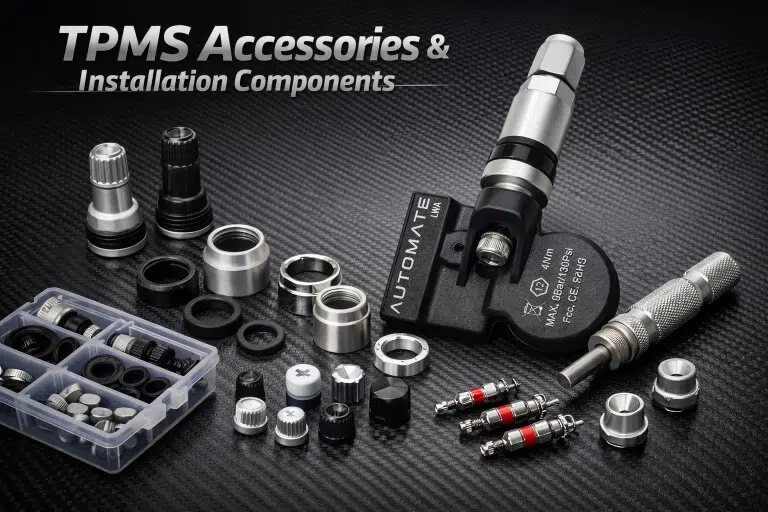
TPMS accessories and installation components including valve stems and seal kits Coming Soon

TPMS Accessories & Installation Components

Essential hardware and service items to support TPMS installation and maintenance — including valve stems, seal kits, mounting hardware, replacement caps and nuts.

Professional Installations
0