RAM TPMS RELEARN PROCEDURE
Select your vehicle to find compatible tyre pressure sensors and follow the correct RAM TPMS relearn procedure. This guide includes both the standard auto relearn process and the OBD relearn method for supported vehicles.
Select Your RAM to Find Compatible Tyre Pressure Sensors
Use the selector below to help customers choose the correct RAM TPMS sensor and relearn method.
Auto Relearn
Many RAM vehicles can learn the sensors automatically after the correct drive cycle once the sensors are properly installed.
OBD Relearn
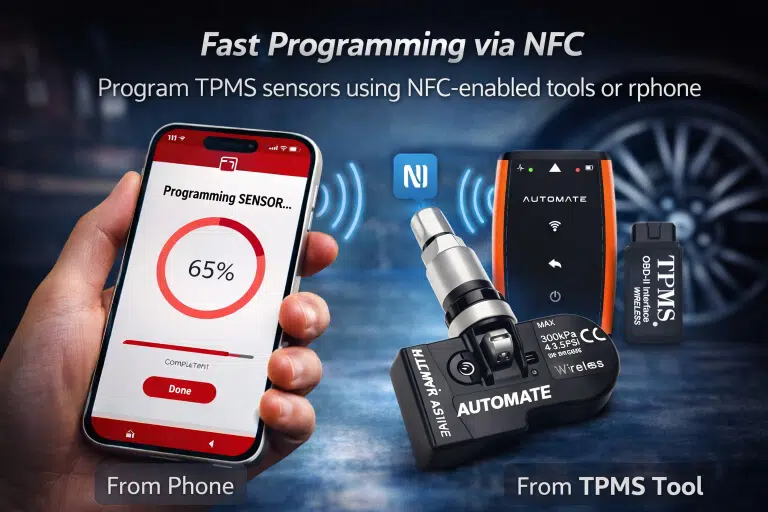
Some RAM models require an OBDII module and TPMS tool to activate the sensors and write the data to the ECU.
Before You Start
Always confirm the sensors are installed correctly and all tyres are adjusted to the placard pressure before starting.
Applicable RAM Models
This page includes the supplied RAM 1500 DS / DT / DX coverage and current RAM Trucks Australia model lines including 1500 Big Horn, 1500 Laramie Sport, 1500 Limited, 1500 TRX, 2500 Laramie, and 3500 Laramie. ([ramtrucks.com.au](https://www.ramtrucks.com.au/?utm_source=chatgpt.com))
Auto Relearn Procedure
Applies to years 2008–2028, including RAM 1500 DS / DT / DX.
- Confirm TPMS sensors are properly installed.
- Adjust tyre pressure to the placard value.
- Drive the vehicle for up to 20 minutes above 15 mph or until the TPMS light is off.
OBD Relearn Procedure
Applies to years 2008–2017.
- An OBDII module is required — attach it to the TPMS tool.
- Confirm TPMS sensors are properly installed.
- Adjust tyre pressure to the placard value.
- Hold the TPMS tool on the left front tyre sidewall next to the valve stem and use the tool to activate the sensor.
- Repeat for the right front, right rear, and left rear sensors.
- Apply the OBD module to the DLC.
- Turn the ignition ON.
- Press OK on the TPMS tool to transfer the data to the ECU.
- Disconnect the OBD module from the DLC.
- Turn ignition OFF, then start the engine.
- Drive for at least 5 minutes at 28 mph.
Get Help with RAM TPMS Sensors
If you need help choosing the correct RAM TPMS sensors or troubleshooting the relearn procedure, contact MyTPMS for expert support and compatibility advice.