KIA TPMS RELEARN PROCEDURE
Select your vehicle to find compatible tyre pressure sensors and follow the correct Kia TPMS relearn procedure. Many Kia vehicles can complete an auto relearn after the correct sensors are installed and the vehicle is driven under normal conditions.
Select Your Kia to Find Compatible Tyre Pressure Sensors
Use the selector below to help customers choose the correct Kia TPMS sensors and setup method.
Auto Relearn System
Many Kia vehicles can complete TPMS relearn automatically once the correct sensors are installed and activated.
No OBDII Connector Needed
For this procedure, an OBDII connector is not required, which makes the process simpler.
Before You Start
Always confirm the sensors are fitted correctly and all tyres are adjusted to the placard pressure before beginning.
Applicable Kia Models
This page includes commonly searched Kia models plus current and newer Kia Australia model families. Kia Australia’s current lineup includes models such as Picanto, Stonic, Seltos, K4, Sportage, Sorento, Carnival, EV3, EV5, EV6, EV9, Tasman, and Niro. :contentReference[oaicite:1]{index=1}
Auto Relearn Procedure (2006–2028)
Follow these steps to allow the Kia TPMS system to learn the sensors automatically.
- OBDII connector is not required.
- Confirm TPMS sensors are properly installed.
- Adjust tyre pressures to the placard value.
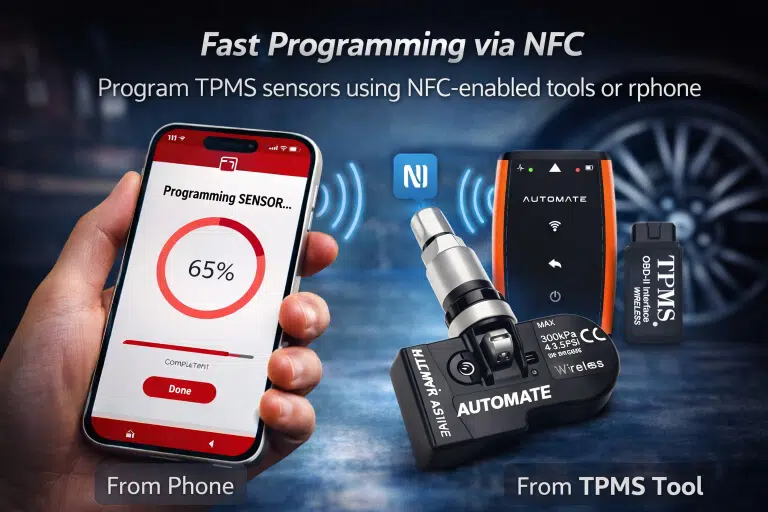
- Activate the sensors with a TPMS tool.
- Drive the vehicle for up to 10 minutes.
Setup Tips for Successful Relearn
These checks can improve the success rate of the Kia TPMS relearn process.
Correct Tyre Pressure
Always set all tyres to the correct placard pressure before beginning.
Sensor Activation Matters
Use a TPMS tool to activate the sensors properly before the road test.
No OBD Needed
This procedure does not require an OBDII connector, which simplifies the process.
Complete the Drive Cycle
Allow enough driving time for the vehicle to finish learning the sensors.
Get Help with Kia TPMS Sensors
If you need help choosing the correct Kia TPMS sensors or troubleshooting the relearn procedure, contact MyTPMS for expert support and compatibility advice.