HOLDEN TPMS RESET & RELEARN GUIDE
If you have replaced a wheel, tyre, or TPMS sensor and the tyre pressure warning light stays on, the system may need to be reset or relearned. This improved version keeps the current Holden guide layout, but adds clearer product links for Holden models, a direct Bluetooth programmer purchase link, stronger internal links, and practical external references.
Select Your Holden to Find Compatible Tyre Pressure Sensors
Use the selector below to guide customers toward the correct Holden model family before they choose a TPMS sensor. For exact fitment, match the vehicle year, OE number, sensor frequency and wheel setup before purchase.
Caprice WM Procedure
This guide keeps the existing Holden Caprice WM reset method and makes the steps easier to follow.
Programming Tool Required
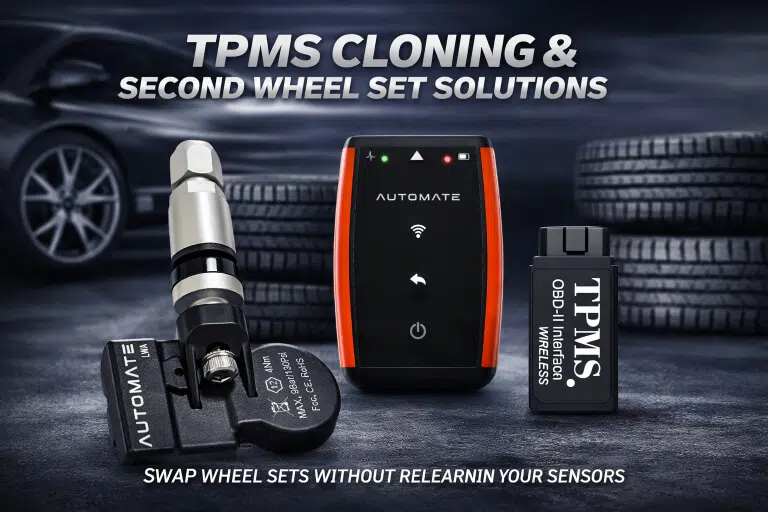
For sensor replacement and cloning work, use the AUTOMATE Bluetooth Programmer to prepare compatible TPMS sensors.
Sensor Fitment Matters
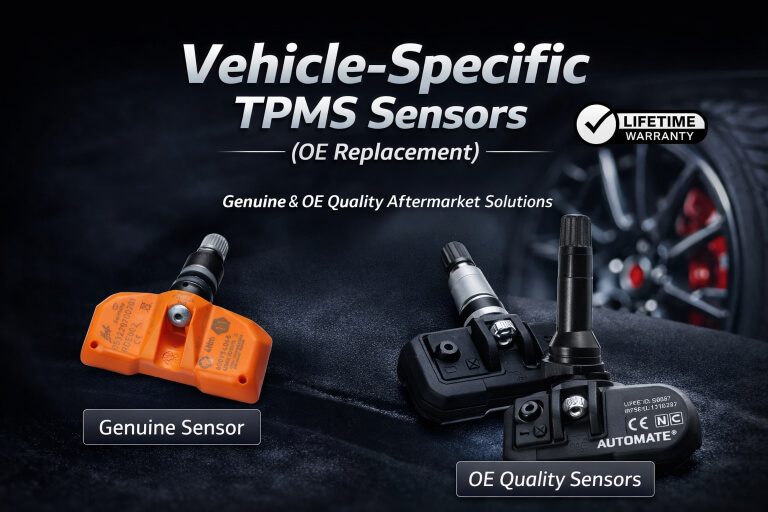
Holden sensors must match model, year, OE number and frequency. Guessing here causes repeat warning lights.
Common Holden Models Covered
This guide is especially useful for Holden Caprice WM and similar Holden/GM systems. Product links below connect customers to the physical Holden models we currently support with matching TPMS sensors.
How to Reset Holden Caprice Low Tyre Pressure Sensor Light (WM)
Estimated time: approximately 7 minutes.
- Stop the vehicle in a safe place, switch the engine off, and engage the parking brake.
- Set all tyres close to placard pressure before relearn. Do not use the tyre sidewall maximum pressure as the target.
- Turn the ignition to the ON position without starting the engine.
- Press and hold the unlock and lock buttons on the Remote Keyless Entry transmitter until the horn sounds.
- Starting at the left front tyre, activate or relearn the sensor as required by the vehicle procedure.
- Wait for the horn confirmation, then move to the right front tyre.
- Repeat for the right rear tyre.
- Repeat for the left rear tyre.
- After the final confirmation chirp, turn the ignition OFF and adjust all tyres back to placard pressure.
Buy the AUTOMATE Bluetooth Programmer
The AUTOMATE Bluetooth Programmer / Cloning Tool is the correct tool link for customers who need to program or clone compatible TPMS sensors before Holden fitment and relearn work.

AUTOMATE Bluetooth Programmer / Cloning Tool
Use this Bluetooth programmer for compatible TPMS sensor programming and cloning work before Holden installation.
Buy Bluetooth ProgrammerHolden TPMS Sensors by Physical Model
These product links are added directly into the guide so customers can move from the reset instructions to the correct Holden sensor. Confirm fitment before ordering if the vehicle has imported variants, aftermarket wheels or previous sensor changes.

Holden WM Caprice
433MHz sensor for 2007-2012 WM Caprice, OE 25789964 / 22853740 / 13581561.
View Caprice sensor
Holden Commodore VE
Replacement 433MHz TPMS sensor for compatible VE applications using OE part number 13581561.
View VE sensor
Holden Commodore VF / HSV
Replacement 433MHz TPMS sensor for compatible VF and HSV applications using OE part number 13581561.
View VF sensor
Holden Commodore ZB / Tourer
Replacement 433MHz TPMS sensor for compatible ZB/Tourer models using OE part number 13597645.
View ZB sensor
Holden Colorado
433MHz OE replacement TPMS sensor for compatible 2013-2017 Holden Colorado models, OE 20925925.
View Colorado sensor
Holden Astra J / Cascade
433MHz replacement sensor for compatible Astra J and Cascade applications. Confirm exact vehicle fitment before ordering.
View Astra/Cascade sensorExtra Holden TPMS Information
Some Holden models use menu or stalk controls to enter TPMS learning mode. The reset order and horn confirmation are still important on systems that use stationary relearn.
Menu / Stalk Access
Some models require steering wheel stalk or menu controls to start TPMS learning mode.
Follow Tyre Order
Use left front, right front, right rear and left rear unless the vehicle display says otherwise.
Return Pressures
After relearn, return all tyres to the pressure shown on the tyre placard.
Wrong Sensor Warning
If the light stays on, check frequency, OE number, battery state and whether the sensor ID was learned.
More TPMS Help
Use these supporting resources for customers who need broader TPMS help after reading the Holden reset guide.
Watch the Reset Procedure
Use the embedded video below as a visual guide for the Holden TPMS reset process. Video credit: MyTPMS Australia.
Holden TPMS Reset Questions
Do I need a tool to replace Holden TPMS sensors?
For compatible programmable sensors, the AUTOMATE Bluetooth Programmer can be used for programming or cloning before installation and relearn.
What order do I relearn Holden TPMS sensors?
The common Holden/GM order is left front, right front, right rear and left rear, unless the vehicle display gives a different instruction.
Why does my Holden tyre pressure light stay on after replacing sensors?
The sensor may not have been relearned, may be the wrong frequency, may not match the vehicle, or may not be transmitting correctly.
Get Help with Holden TPMS Sensors
If you need help choosing the correct Holden TPMS sensor or troubleshooting the relearn process, contact MyTPMS for compatibility advice before ordering.